
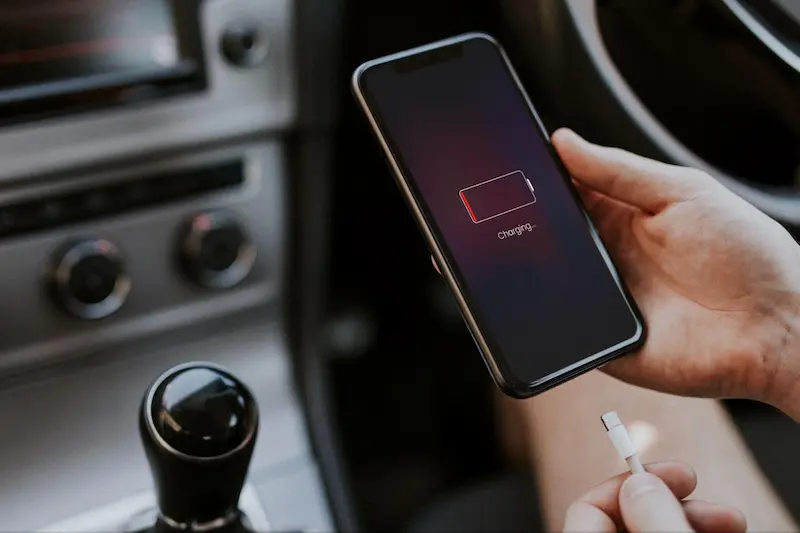

Smartphone battery tips are everywhere, and half of them contradict the other half. Charge to 100 percent, never charge to 100 percent. Close all your apps, never close your apps. The confusion exists because advice from the era of old battery technology still circulates alongside guidance for the lithium batteries in modern phones. This guide sorts the smartphone battery tips that genuinely work — for lasting through a long day and for keeping the battery healthy across years — from the myths you can safely ignore.
Understand What Actually Drains Your Battery
The biggest battery consumer is almost always the screen, followed by weak mobile signal, location services and apps working in the background. A phone hunting for signal in a low-coverage area can drain dramatically faster than the same phone in the city, because it keeps raising its power to reach the tower. Knowing this explains most “mystery” battery drain better than any single setting.
Every phone has a battery usage screen in its settings that names the real culprits by app. Check it before changing anything; the list often surprises people. One misbehaving app, quietly refreshing all day, can be responsible for a third of the drain — and removing or restricting it is the most effective of all smartphone battery tips.
Charging Habits That Protect Battery Health
Modern lithium batteries age fastest when kept at extremes: fully charged at 100 percent for long periods, or drained completely to zero. If you charge overnight every night, your phone spends hours sitting at full charge, which slowly wears the battery. Many phones now offer a setting to limit charging to around 80 percent or to finish charging just before your usual wake-up time; turning it on is a genuine, effortless improvement.
Heat is the other enemy. Charging in direct sunlight, gaming while fast-charging, or leaving the phone in a hot car accelerates ageing more than any charging pattern. Remove thick cases while charging if the phone gets warm, and use certified chargers and cables — cheap unbranded chargers can damage both battery and phone. Before travelling, it also makes sense to protect what the battery powers: follow this detailed step-by-step guide to backing up your mobile phone data so a dead or lost phone never means lost photos and contacts.
Settings That Stretch a Single Charge
When you need one charge to last as long as possible, a few settings deliver most of the benefit. Lower screen brightness or use adaptive brightness. Shorten the time before the screen sleeps. Turn on the system-wide battery saver, which limits background activity and visual effects. Switch to Wi-Fi instead of mobile data where a network is available, and use airplane mode in places with no signal at all — a phone that stops searching stops draining.
Location services deserve a review: many apps ask for constant location access when “only while using the app” would serve the same purpose. Restricting them saves power and protects privacy at the same time. Getting comfortable moving through these settings is easier with a guided walkthrough, and this complete beginner’s guide to setting up your phone easily explains where the important options live on a new device.
Myths You Can Stop Worrying About
Closing apps from the recent-apps screen does not save battery on modern phones; the system already freezes them, and reopening them from scratch can use more power than resuming them. Charging with a higher-power charger from a reputable brand does not harm the battery — the phone regulates what it accepts. And the idea that a new phone must be charged for eight hours before first use belongs to a battery technology retired many years ago.
Likewise, occasional full charges do no meaningful harm. Battery health is a game of averages across hundreds of cycles, not a test you pass or fail with a single charge. Relax about the small things and focus on heat, extremes and the settings above.
When the Battery Itself Is Finished
After two to four years of daily charging, most batteries hold noticeably less than they did when new. Signs include the percentage dropping in sudden jumps, the phone shutting down with charge apparently remaining, or the back of the phone swelling — that last one means stop using it and seek repair promptly. For many models, an official battery replacement costs a fraction of a new phone and restores the device completely, especially when combined with the careful setup and security routine in our online safety guide for secure internet use, which is worth re-reading whenever you set up a phone again from scratch.
Power Banks and Charging While You Travel
For long journeys, market days and anywhere sockets are scarce, a good power bank is the practical companion to everything above. Choose one with enough capacity for at least two full phone charges, from a reputable brand with proper safety certification — an uncertified power bank is a battery risk in your bag, not a convenience. Models that show the remaining charge as a percentage are easier to plan around than a row of vague lights.
Carry the right cable, too; a fast charger is useless with a cable that cannot carry the power. Charge the power bank itself after every trip so it is ready for the next one, and store it half-charged if it will sit unused for months, which is gentler on its cells. Aeroplane rules require power banks in hand luggage, and capacity limits apply, so check before flying. With a sound power bank and the habits in this guide, running out of battery becomes a rare event rather than a daily worry.
Conclusion
The smartphone battery tips that work are refreshingly few: keep the phone cool, avoid living at 0 or 100 percent, check which apps actually drain the battery, tame the screen and background activity, and use proper chargers. Ignore the rituals inherited from old technology. Follow those habits and your phone will last through your longest days now — and still hold a useful charge years from now, when everyone else is shopping for a replacement.


